2026-09-26 · StackFill
Online Business Card Printing: Prepress Failures
Online business card printing causes reprints when bleed, RGB color, and safe zones fail. Here's what a press-ready template actually requires.
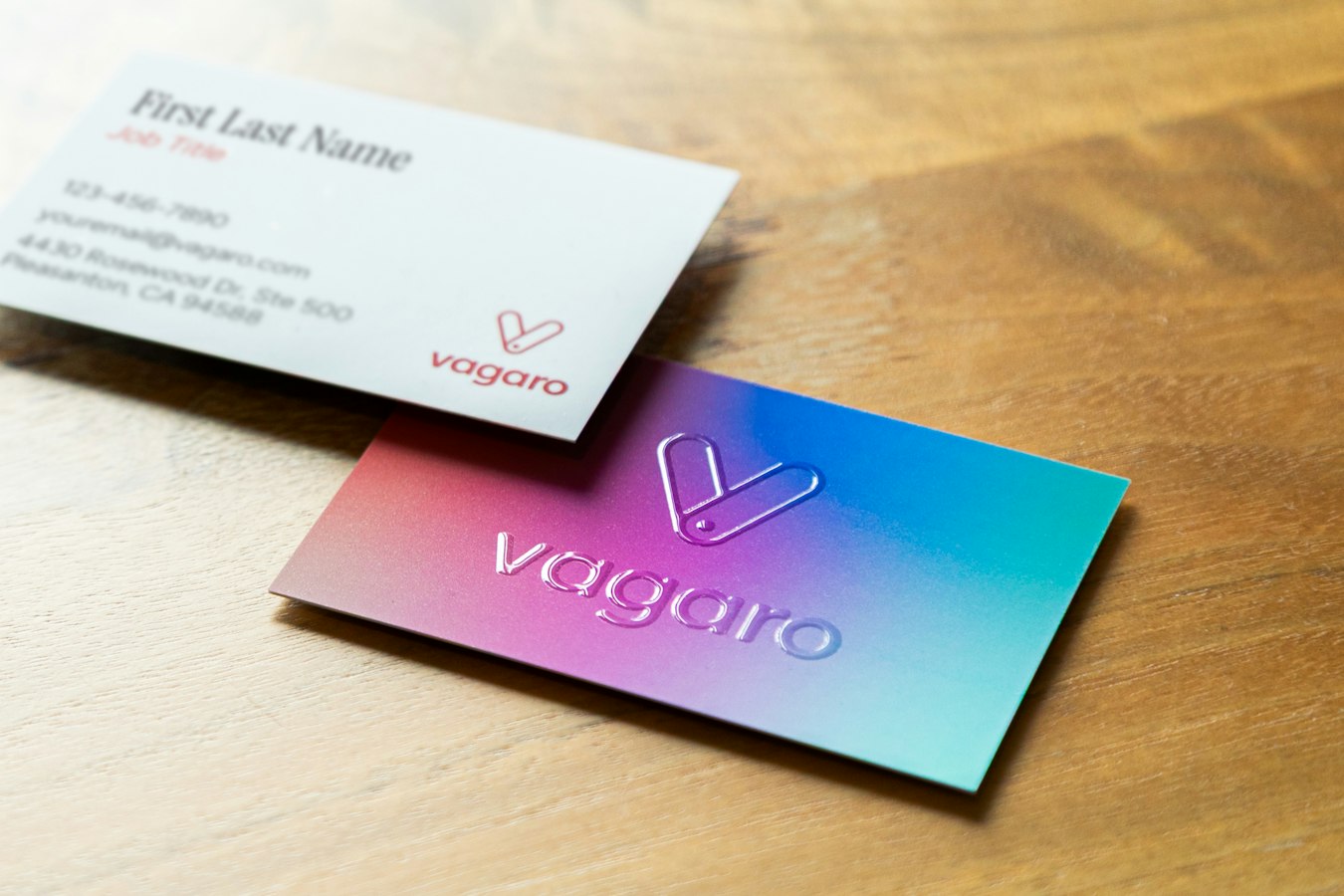
Online Business Card Printing: The Prepress Failures Hiding in Your Templates
Most online business card printing tools are built to feel easy on screen. They are not built to survive the press. That gap is where reprints come from.
A customer picks a template, types their name, drags the logo, and clicks approve. The proof looks clean in the browser. Then the file hits your RIP and the trouble starts. The bleed is short. The black is muddy. The phone number sits a hair from the trim line. The card that looked fine on a monitor is now a job you have to run again on your dime.
This article walks through the specific prepress failures that turn an approved proof into a reprint, and what a properly structured, press-ready business card template actually requires. If you run a shop or manage brand collateral across locations, these are the details that decide whether a file prints right the first time.
What "Bleed" Actually Means for a Business Card (And Why 1/8" Is Non-Negotiable)
Bleed is the artwork that extends past the trim line. A standard business card trims to 3.5 by 2 inches. If the design has color or an image that runs to the edge, that color has to keep going past the edge by 1/8 inch on every side. So the full artwork board is 3.75 by 2.25 inches, and the card gets cut down to 3.5 by 2 inches.
Why the extra 1/8 inch? Because cutting is not perfect. A guillotine cutter shifts. A stack of cards moves under the blade. No cutter lands exactly on the trim line every time. The bleed gives the blade room to wander without exposing a white sliver at the edge of a card that was supposed to print edge to edge.
Skip the bleed and you get white slivers on the finished cards. There is no fixing that after the cut. The only fix is a reprint. That is why 1/8 inch of bleed is not a suggestion. It is the minimum tolerance the finishing step demands.
The number matters, but so does the setup. A file can claim to have bleed and still fail if the background color stops right at the trim line instead of extending into the bleed area. For the full breakdown of how to set this up correctly, see the PDF bleed and trim setup reference.
The Five Ways Online Business Card Templates Fail at the Bleed Line
Screen-first templates fail at the bleed in predictable ways. Here are the five that cause the most reprints.
1. No bleed area at all. The template board is exactly 3.5 by 2 inches. The customer fills the space, approves it, and the file has zero room for the cutter. Every edge-color card cut from this file risks a white edge.
2. Bleed that is faked with a stroke. Some tools draw a colored border to simulate bleed instead of extending the actual artwork. The border is not part of the background, so when the card trims, the color underneath does not match the border and the edge looks wrong.
3. Background that stops at the trim line. The template has a bleed zone, but the customer's chosen background color or image only fills up to the trim mark. The bleed area is empty. This is the sneakiest failure because the proof looks fine. The white only appears after the cut.
4. Text and logos dragged into the bleed. When a template does not lock the safe zone, customers push content outward to make it bigger. Anything that crosses the trim line gets cut off. A name that reads fine on screen loses its last two letters on the finished card.
5. Bleed present in the preview but stripped on export. The worst kind. The editor shows bleed, but the downloaded or transmitted file flattens to the trim size. The shop receives a 3.5 by 2 inch file with no bleed and no warning.
A good preflight step catches most of these before they reach the press. If your shop does not have a consistent check, the seven preflight errors that cause reprints is a useful place to build one.
CMYK vs RGB: The Silent Conversion That Kills Brand Colors on Press
Business cards print in CMYK. Screens display in RGB. When a template lives in the browser, it lives in RGB by default. That is where brand color goes wrong.
Here is the failure. A customer builds a card with a bright RGB blue that looks perfect on their monitor. The template stores it as RGB. At export or at the RIP, that blue gets converted to CMYK. RGB can show colors that CMYK ink cannot reproduce, so the conversion pulls the blue toward a duller, grayer version. The customer approved a color the press was never going to print.
The problem is not the conversion itself. Every RGB value has to become CMYK before it prints. The problem is when the conversion happens last, silently, after approval, with no proof that reflects the real output. The customer signs off on a color that does not exist on paper.
A press-ready workflow keeps color in CMYK from the start, so the proof the customer approves is the color the press runs. Brand colors that must match exactly, like a corporate blue, often belong in a spot color rather than a CMYK build. Preserving those through the whole process is its own discipline, covered in spot color preservation in web-to-print.
If you want the deeper explanation of why "CMYK" is not just a checkbox but a whole color pipeline, read CMYK is not a color mode and the practical cost breakdown in CMYK vs RGB for print. Rich black on a small card is its own trap, and the rich black CMYK guide explains when to use it and when to avoid it.
Safe Zone, Trim Line, Bleed Edge: How Most Templates Confuse All Three
A business card file has three lines that matter, and screen-first templates blur all three into one.
The bleed edge is the outer boundary at 3.75 by 2.25 inches. Background art fills to here.
The trim line is where the card gets cut at 3.5 by 2 inches. This is the finished size.
The safe zone sits 1/8 inch inside the trim line, at roughly 3.25 by 1.75 inches. All important content, text, logos, phone numbers, belongs inside this line. Nothing critical goes in the strip between the safe zone and the trim, because the cutter tolerance can eat into that strip.
The three lines exist for one reason: the cut is not exact. Bleed protects against the cutter shifting outward and exposing white. The safe zone protects against the cutter shifting inward and clipping content. The trim line is the target in the middle.
Most online templates show only one box, the card outline. Customers assume everything up to that box is fair game. They place a phone number tight to the edge and it reads fine on screen. On press, the cutter shifts a millimeter and the number loses its edge. This is why a template needs to display all three zones and, more important, needs to stop content from crossing into the danger strips.
Displaying the zones is not enough on its own. The template has to enforce them. A field that lets a customer type until the text runs into the bleed is a template that will produce clipped cards. Enforcement is the difference between a guide and a guardrail.
What a Press-Ready Business Card File Actually Looks Like Before It Ships
Strip away the browser preview and a press-ready business card file has a specific shape. Here is the checklist a file should pass before it goes to plate or RIP.
- Correct dimensions with bleed. 3.75 by 2.25 inch media box, 3.5 by 2 inch trim, defined by a real TrimBox and BleedBox in the PDF, not just visual marks.
- Background art fills the bleed. Any edge color or image extends the full 1/8 inch past trim on all four sides.
- All critical content inside the safe zone. Text and logos sit at least 1/8 inch inside the trim line.
- CMYK or spot color, no stray RGB. Every color object is defined in CMYK or a named spot ink. No RGB or Lab objects sneaking through.
- Fonts embedded or outlined. Every glyph is present in the file so the type renders the same everywhere. Missing fonts are a classic silent failure, covered in PDF font embedding for print.
- Correct resolution for raster elements. Logos and photos at print resolution, not screen resolution. The PDF resolution for print guide goes past the simple 300 DPI rule.
- PDF/X-1a compliance. The standard that locks down color, fonts, and transparency so the file is predictable at the RIP. See PDF/X-1a compliant web-to-print.
A file that passes all seven prints the way the proof promised. A file that misses one of them is a reprint waiting to happen. The value of a real preflight is that it catches the miss before ink hits paper, not after.
Overprint and knockout settings deserve a mention too. Small black text set to knockout on a colored background can misregister and show a white halo. The overprint vs knockout field guide covers when to set each.
How Print Shops Can Offer Online Business Card Ordering Without Rebuilding Every Template
Here is the part that trips up most shops. To offer online business card ordering, the usual path is to recreate every card design inside a web-to-print editor. You rebuild the layout, re-place the logo, re-pick the colors, and hope the rebuild matches the original press file. This is slow, it introduces new errors, and it is why most shops start the project and never finish it. The hidden cost of that rebuild is real, and it is worth reading the recreation tax before you sign up for it.
There is a better path. The card design already exists as a finished, press-ready PDF. It already has the right bleed, the right CMYK build, the right fonts. The problem was never the design. The problem is letting a customer change the name and title without breaking any of that.
StackFill takes the finished PDF you already have, reads it into a structured scene graph, and lets you mark which elements a customer may edit and lock everything else. The name field becomes fillable. The logo, the bleed, the color build, and the safe zone stay exactly as your prepress team set them. The customer personalizes against a live proof and downloads a byte-identical, press-ready CMYK PDF. Nobody rebuilds the card, and the file that ships is the file you approved.
Because the source file already passed prepress, the five bleed failures, the silent RGB conversion, and the safe-zone violations described above simply cannot happen. The customer cannot drag text into the bleed because that element is locked. The color cannot flip to RGB because the file was never RGB. The proof they approve is the file the press runs.
This approach fits the way a print shop already works. You keep your own preflight, your own RIP, your own presses. You are not learning a new production system or changing how you output plates. You are adding a fillable front door to files that are already correct. For the full picture of how that works in practice, see press-ready PDF personalization software and the practical steps in make a PDF fillable online for print.
The specifics of a card template built this way, with locked bleed and an enforced safe zone, are covered in the editable business card template that prints right. And when a customer comes back for a second box of cards, the reorder is just a new fill against the same locked file, which is the whole point of a clean print shop reorder workflow.
Online business card printing does not have to mean reprints. It means starting from a file that was already right and refusing to let the ordering step break it. Use the file you already have.